ContextTube
Switch YouTube between Work, Hobby, and All modes. Stop your feed from mixing work content with entertainment.
Why does YouTube keep mixing your work and personal content?
Read the guide →The problem
- ✕Your kid watches Roblox on your account — your feed is ruined for months
- ✕Work and personal content constantly mix in recommendations
- ✕Multiple accounts are a hassle to switch between
- ✕YouTube's algorithm doesn't know which 'you' is watching
What it does
- ✓Work mode: filters recommendations to tech, programming, and business
- ✓Hobby mode: gaming, music, entertainment
- ✓All mode: normal YouTube, no filtering
- ✓One click to switch — no account needed
Three modes
Work Mode
Filters recommendations to tech, programming, science, and business content.
Hobby Mode
Restores gaming, music, entertainment, and personal interest content.
All Mode
Normal YouTube. No filtering. Everything shows as usual.
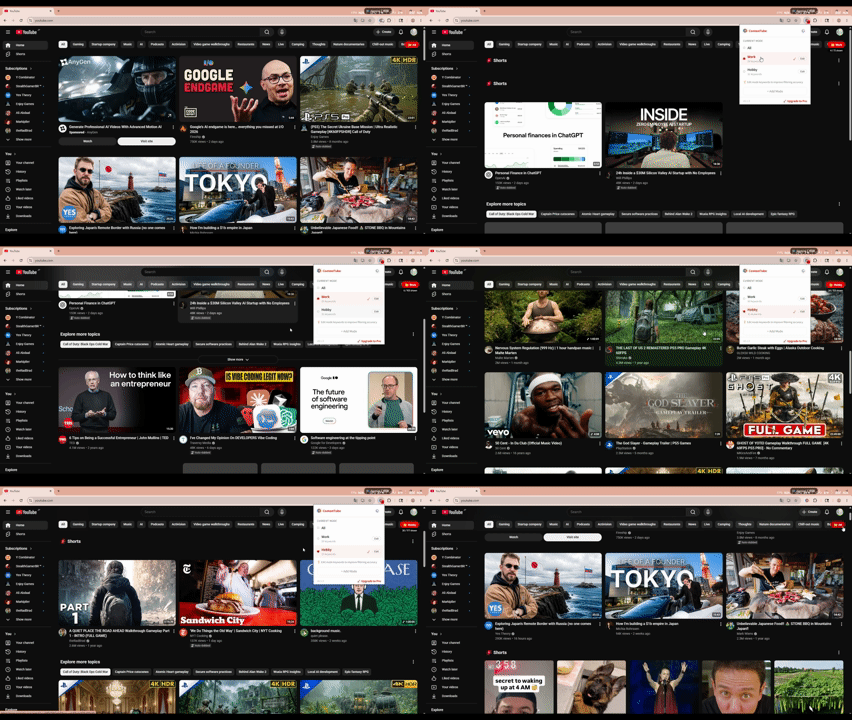
How it works
Install ContextTube from the Chrome Web Store — no account needed.
Click the extension icon and choose your current context: Work, Hobby, or All.
YouTube recommendations filter instantly using client-side keyword matching. No API calls, no data sent anywhere.
Free · Chrome Extension · No account
Switch YouTube to the right context
Install in 30 seconds. One click to switch modes.
Add to Chrome — Free →FAQ
Is it really free?
Yes, completely free. Install from the Chrome Web Store and use it forever. No account, no subscription.
How does the filtering work?
ContextTube uses client-side keyword filtering to show or hide recommendations based on your current mode. No YouTube API, no data collection — everything runs in your browser.
Does it work with my existing YouTube account?
Yes. It works on top of your existing account without changing anything on YouTube's side. Your history and subscriptions stay exactly as they are.
Can I add my own keywords?
The current version uses preset category keywords for each mode. Custom keyword support is planned for a future update.
Will it slow down my browser?
No. It's a lightweight extension that only runs on YouTube pages and does all filtering locally in your browser.